Terminal-based context management for AI driven development
Pluqqy brings order to chaos. A terminal tool to organize and manage your own prompts and contexts for Claude Code, Codex, Gemini, Amp, Cursor, and other AI assistants. Write your components once, combine them into pipelines, and switch between configurations instantly. Keep context minimal and focused—both you and your AI work from the same single source of truth. You craft the content, Pluqqy handles the organization.
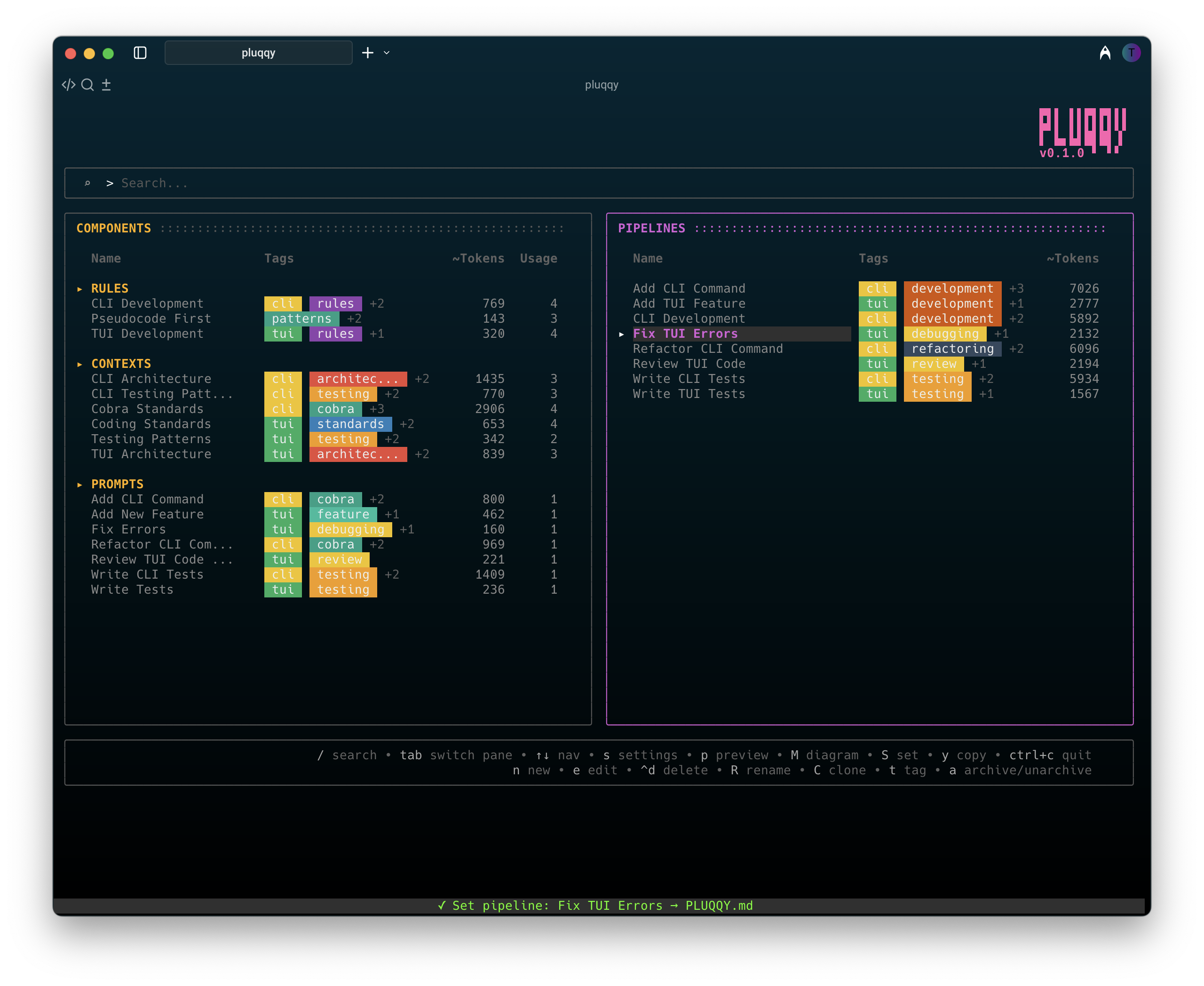
Launch with `pluqqy` for a complete visual experience. Navigate pipelines, create components, and manage your curated knowledge through an intuitive TUI.
Combine your contexts, prompts, and rules into reusable pipelines. No AI generation—you craft what works for your workflow, Pluqqy keeps it organized.
One command (`pluqqy set [pipeline]`) to switch your AI's entire context. Reference @PLUQQY.md in your AI assistant, swap pipelines instantly—same file, different curated contexts. Includes powerful CLI and search capabilities.
Run pluqqy init to create a .pluqqy
folder in your project root with organized subdirectories.pluqqy/
├── pipelines/
├── components/
│ ├── contexts/
│ ├── prompts/
│ └── rules/
├── archive/
│ ├── pipelines/
│ └── components/
│ ├── contexts/
│ ├── prompts/
│ └── rules/
├── tmp/
└── .git
Type pluqqy to open the terminal user interface
for visual management
Write contexts, prompts, and rules as markdown files. Use examples as templates or start from scratch
Combine components into pipelines. Running
pluqqy set [pipeline]
generates PLUQQY.md in your project root
Your pipelines, your rules. Switch contexts based on what you're building. One reference (@PLUQQY.md), infinite configurations.
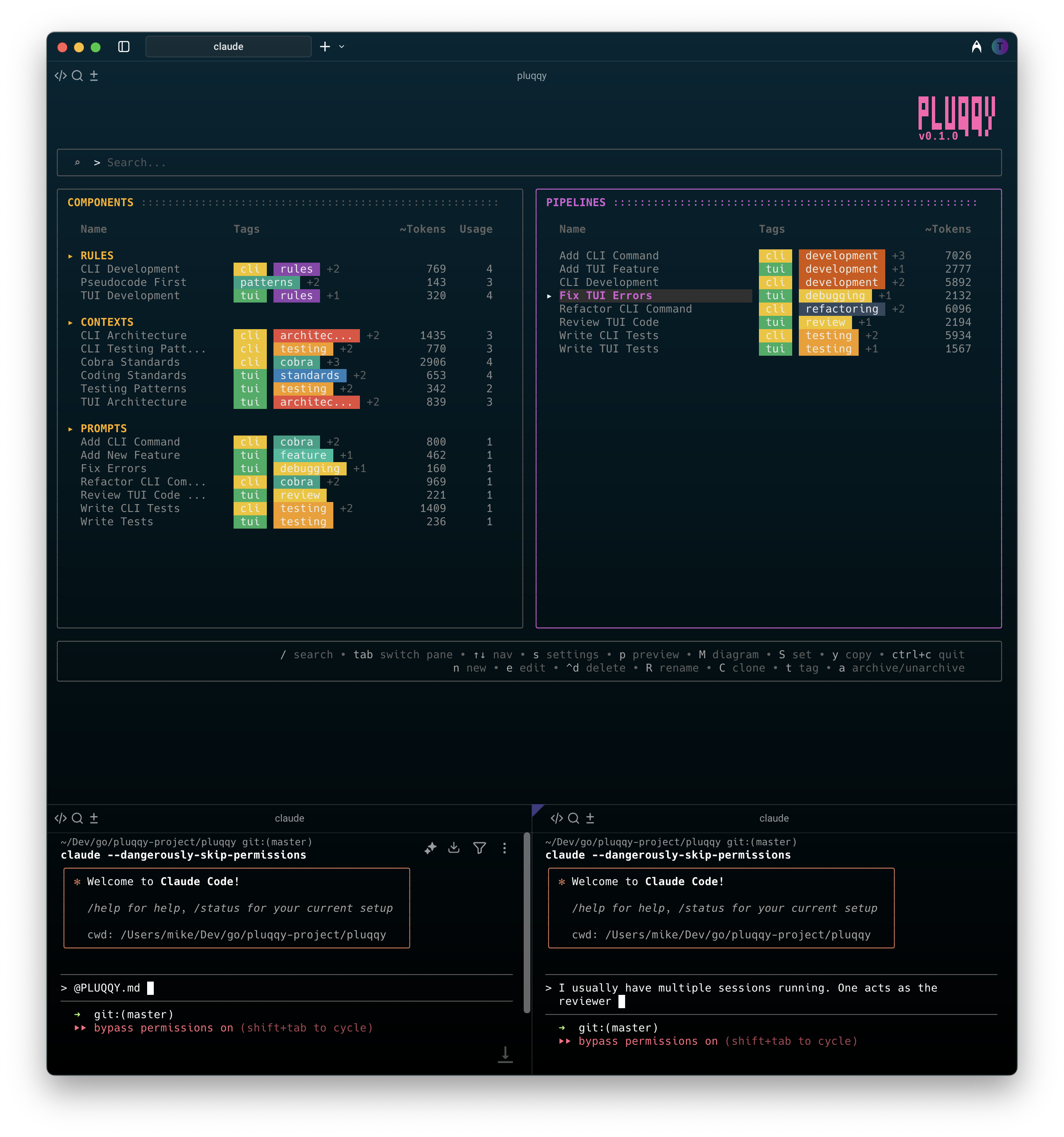
One Pluqqy TUI instance, multiple AI assistant sessions
Pluqqy is a terminal tool to manage and switch AI prompt/context pipelines for your projects. See how components combine into different pipelines.
Click a pipeline to see how components change
Full CLI interface for when you prefer commands over the TUI
pluqqy set [pipeline]
Set active pipeline & generate PLUQQY.md
pluqqy show [pipeline]
Preview composed pipeline output
pluqqy list pipelines
List all available pipelines
pluqqy clipboard [pipeline]
Copy pipeline to clipboard
pluqqy create [type] [name]
Create new context, prompt, or rule
pluqqy edit [component]
Edit component in external editor
pluqqy list components
List contexts, prompts, and rules
pluqqy usage [component]
Show which pipelines use a component
pluqqy search "tag:api"
Search by tags
pluqqy search "type:prompt"
Filter by component type
pluqqy archive [item]
Archive components or pipelines
pluqqy examples [category]
Install example components
All commands support --output json for scripting and
-y to skip confirmations